Unregistered
Register to earn points!
Login  Register


Homepage | News | Subscribe | Member list | Links | Submit a game | Privacy | Terms | Contact us | Minecraft Xbox
Game image
Mine Blocks
Overall rating:
Rating starRating starRating starRating starRating star
 Your rating:
Login to rate
  Times played: 55768  

More games
Minecraft Shooting Galler…
One of Minecraft skill games is Minecraft Shooting Gallery V4.1. This game is made by feartehstickman who is a…

Minecraft Tower Defense
This is the re-make on the game Onslaught Tower Defense, designed to be less resource intensive and add new fe…

Minecraft Tower Defense 2…
Minecraft Tower Defense 2D is a tower protect game. Begin the game, you will create the path to your tower. Wh…

Minecraft Flash Game
One day, there is a man who accidentally gets lost in a very large forest in the Minecraft Flash game – a su…

Craft Room Objects
Craft Room Objects is really a point and then click hidden object game. It is the time for you to make use of …

Minecraft 2D
Are you truly good heroes who are always ready to help somebody to cope with every hard situation, Minecraft p…

Creep Craft
This is a Minecraft adventure game for fans of Minecraft. A creeper is staying at the cave, and he is going to…

End Of The World
Did you play the Minecraft game yet? End Of The World is one of skill Minecraft game. You need to help your ch…


Description
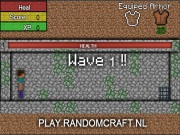
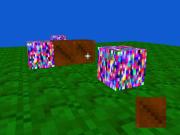
Mine, build, craft, and explore the lands of a world, when you begin your adventure, you will spawn in the center of a small world, all by yourself. You must mine your materials, craft your tools, and destroy the beasts that lurk the very land. But as you're doing that, you can make a castle, that can trap the zombies for you. You can have a swimming pool with a 50 block tall diving board.

Date added: 2012-04-09
Instructions
You was born in a large world, You do everything by your self.

To begin, you have to find the materials:
You use the mouse to position the red cursor over the block you want to mine. Click and KEEP the left mouse button still the block pops off!

Now that you have a block, you can craft it!
Go to your warehouse by pressing CTRL on your own keyboard.
Now you can drag around the blocks in your warehouse. You can drag individual blocks by holding down SHIFT while you click. Drag the blocks in the crafting area, and look what you might make.
2 wooden planks = 4 sticks. 1 wood = 4 wooden planks. 4 wooden planks = 1 crafting table.

To set blocks - like a crafting table - close out of the warehouse. Now hold down shift, and position the GREEN cursor at the spot you want to place the block. Now shift+click!

To have the help, press H, and the Help window will show, and even very many questions you can ask.
Tags

Comments
Add a comment:
Log-in to add a comment
  • Avatar
    minecraft1000 (250) - 2013-02-02, 07:01
    and put the REAL MINECRAFT!

    :)

  • Avatar
    minecraft1000 (250) - 2013-02-02, 06:41
    CAN YOU guys WHO maid mine blocks PUT SLENDER MAN IN THERE!


    :)

  • Avatar
    callumgee6 (84) - 2012-12-30, 14:36
    plz can you put slaims in the game tanks :)

  • Avatar
    callumgee6 (84) - 2012-12-30, 07:42
    plz can you make the game so if we make an minecraft skin we can play in it and make is so we can go online

  • Avatar
    minecraft1000 (250) - 2012-12-28, 11:35
    i WANT THESE GUYS THAT MADE THIS TO PUT TRAIN TRACKS

  • Avatar
    minecraft1000 (250) - 2012-12-28, 08:33
    plus im a girl

  • Avatar
    minecraft1000 (250) - 2012-12-28, 08:31
    callumgee6 your picture is mest up man

  • Avatar
    minecraft1000 (250) - 2012-12-28, 08:19
    how do you guys get the pictures for your acount gees