


Mine Clone minecraft

Overall rating:
Your rating:
Login to rate
Times played: 75

More games

Being a dwarven miner only starting out from the mining business, you dig to get a number of gems, ores, gold …


Try not to fall off the bottom of the screen. If you step on a platform with spikes or get crushed by the ceil…

While journeying around some magnificent lands of the Minecraft world, a Minecraft adventurer accidentally tum…

Get already enjoyed with Speed Miner and Speed Miner 2? It’s sure that you really love this game series beca…
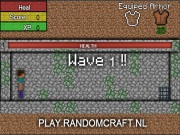
Unfortunately, after completely finishing a beautiful shelter, a Minecraft boy must face hundreds of zombies f…

Take a while to join in Idle Mine – a strange Minecraft game, all guys! It will be an awesome occasion for y…
Going along streets of your city along with contemplating splendid buildings, you wish to get some chances to …
You are welcome to Mine Mechanic. You took a nasty bump to the head. I hear there have been cave-ins in old sh…
Description
Get fed up with many games under 2D format? What do you think about a Minecraft 3D creative mode of game? Mine Clone minecraft is what we are mentioning here. Wow! It’s great as you can dip yourselves into various spectacular things of the cool game. Start up now! Here, players will take up a common and interesting job as usual; this is to form a new look for the game world by building various beautiful and magical constructions. It’s obvious that mining 3D cubes along with gathering natural resources while journeying everywhere is the first step of the building process. Once the Inventory contains many of such building objects, don’t forget to clear obstacles to make spacious areas for the certain projects. Every structure requires the players’ patience, creativeness and cleverness with putting each of the small materials on the surface. Get ready? Hope you are satisfied with your final achievements.
Date added: 2014-05-02
Date added: 2014-05-02
Instructions
The arrow keys or WASD are to travel around.
The spacebar key is to jump.
The E key is to open the Inventory.
The left or right mouse is to remove or build.
The spacebar key is to jump.
The E key is to open the Inventory.
The left or right mouse is to remove or build.
Tags


Comments
Add a comment:
Log-in to add a comment
